![Embodied Labs Registered Logo 684x389 full white.png]](https://resource.embodiedlabs.com/hs-fs/hubfs/Embodied%20Labs%20Registered%20Logo%20684x389%20full%20white.png?height=50&name=Embodied%20Labs%20Registered%20Logo%20684x389%20full%20white.png)
To fix this, please change you display's scaling setting to 100% by right clicking anywhere on the desktop, choosing Display Settings, scroll down in the menu, and change the screen scaling down to 100%.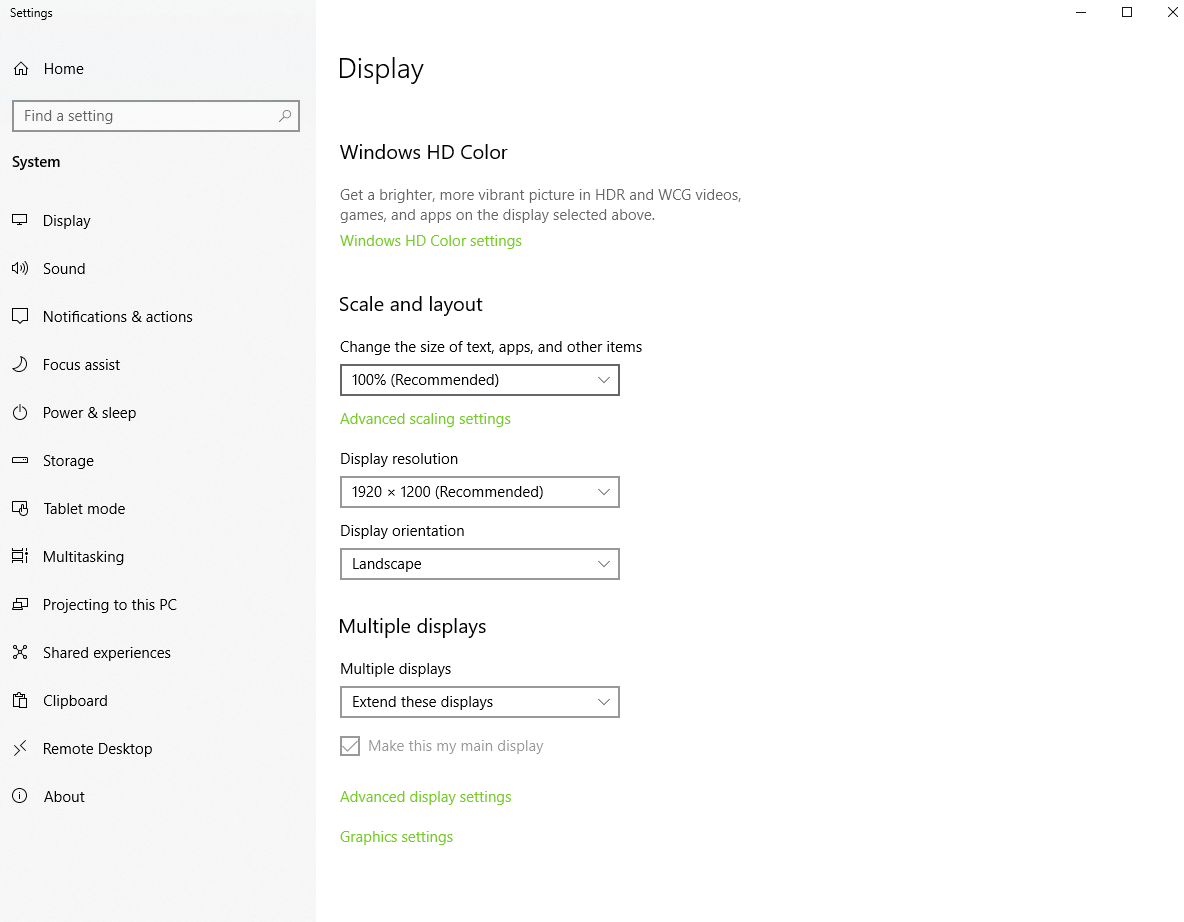
Buttons may be invisible because of your browser's scaling setting.
To fix this, please check your browser's display setting and verify that it's at 100% or lower, as the buttons might be appearing outside of your view.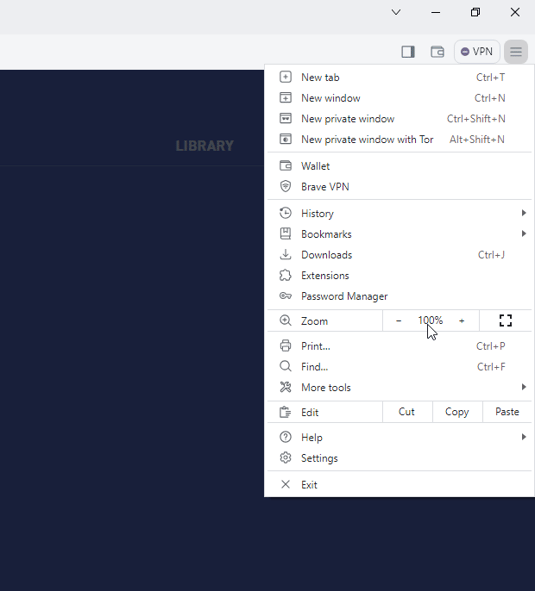
Before Scaling (175%)
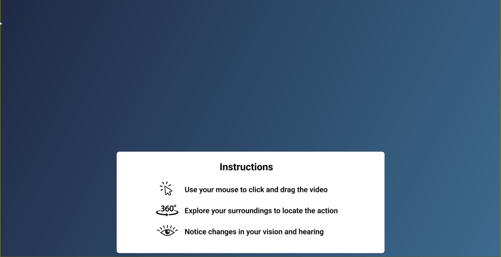
After Scaling (100%)